Your story idea, illustrated: how to turn your own idea into a children's book (template + 3 ways compared)
Yes, you can write the idea of the story yourself and let AI build the book: the text, the illustrations and, if you want, a printed copy. The quality depends mostly on your idea, so give it five things: who your child is, the real moment the story is about, the feeling you want them to end on, the people around them, and one detail only your family knows. Then pick a route: ChatGPT for the script plus Canva to illustrate and print, a book creator like Story Spark, or a service where your idea goes straight into a finished book, such as Looma's "I Have an Idea" step.
We should say up front: Looma Stories uses AI to write and illustrate its books, so we are one of the options compared below. We have tried to describe the other two the way we would want ours described: what a parent sees, with a link to the source.
Why your idea beats any theme in a catalogue
A catalogue offers "space", "pirates", "dinosaurs". Your idea offers the thing your child is actually living: the first morning at preschool, the baby sister who arrived last week, the move to a new flat, the grandad who lives far away. A story built on that is not just personalized with a name; it is about them. It also gives you something a theme never does: a reason to read it at the exact moment it is needed, the night before the big day.
The flip side is that an AI builds the book from what you give it. A one-line idea ("Leo goes to space") gets you a generic story with Leo's name in it. A brief with the real moment, the real people and one true detail gets you a book your child recognises.
The idea template: copy it, fill it in, paste it anywhere
This works in ChatGPT, in Story Spark's story generator and in Looma's idea box. Keep it short: a good idea fits in a few sentences.
- Who: first name, age, and two things they love (an animal, a colour, a game, a food).
- The moment: the real event behind the story. First day at school, a new baby, a move, a first swim, a hospital visit, a holiday.
- The feeling: how they feel at the start (nervous, jealous, bored, excited) and how you would like them to feel at the end.
- The people: who is in the story, with names and roles: big brother Sam, Grandma Ann, the dog Biscuit. Name everyone you want to see in the pictures.
- The adventure: where it happens, real or invented, and the small problem your child solves.
- The family detail: one thing only you know. The knitted fox, the song in the car, the word they say wrong on purpose.
- The ending: how it ends, ideally with your child doing the brave or kind thing themselves, not being rescued.
Here is a filled-in example, 546 characters long:
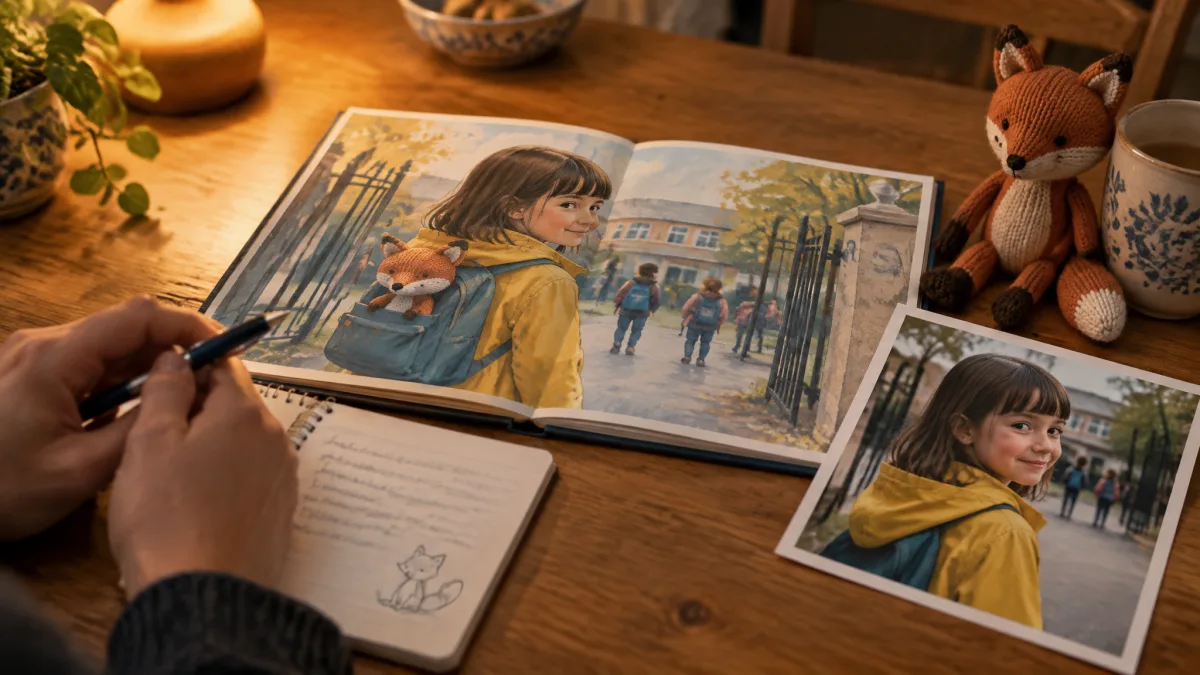
Lily, 4, starts preschool in September and is scared to say goodbye at the gate. She loves foxes and always carries Pip, her knitted fox. On the first morning, Pip comes to life in her backpack and whispers that he is nervous too. Lily shows him around: the coat hooks, the sand tray, the story corner. Her big brother Sam, 7, waves from the school yard and teaches them a secret brave handshake. Grandma Ann picks them up and they eat pancakes. By home time, Lily is the one telling Pip it is all fine. End with Lily waving at the gate, smiling.
Three things make it work: one real moment, a feeling that changes, and a child who solves it herself. Notice what is not in it: no moral spelled out, no list of adjectives. The AI can add those; it cannot invent Pip.
Three ways to turn the idea into an illustrated book
1. ChatGPT for the script, Canva to illustrate and print
The do-it-yourself route, and the one with the most control. Paste the template into ChatGPT and ask for a picture book of twelve to sixteen spreads, one or two sentences per page for a toddler, a short paragraph for a six-year-old, with a description of the picture for each page. Rewrite anything that does not sound like your family. We cover what ChatGPT, Gemini and Claude each do in our honest comparison of AI chat tools for children's books.
Then move to Canva. Its Dream Lab image generator returns four images per prompt and can take a reference image to guide the style or composition, so you can generate each page from the descriptions ChatGPT wrote. Lay the pages out in a photo book design, which Canva prints as a hardcover or softcover with 20 to 98 inside pages, and order it from the editor. Our step-by-step Canva tutorial covers bleed, margins and the export settings.
Where it gets hard: keeping the same child, in the same style, across fifteen pictures, and making that child look like yours. Each generation is a new attempt, so plan an evening or two and some patience with the hair.
2. Story Spark: a book creator, with or without AI
Story Spark sits in the middle. You can describe your story and let it write and illustrate it, give it your own text to illustrate, or start from a blank page with your own words and images. Characters can be made from photos of your family, a pet or a toy, with up to four characters in one picture. A writing assistant helps sentence by sentence, and you can edit text, pages and images.
Two things worth knowing. According to its FAQ, the AI story generator, the illustrations and the photo characters need a paid plan; writing and laying out your own book in the editor is free. And its free plan lets you preview every page before you order the hardcover, a square 21 x 21 cm book. It suits a parent who enjoys building the book page by page. Our Story Spark comparison goes into the detail.
3. Looma: the "I Have an Idea" step
Here the idea goes straight into a finished book. After choosing your child's age, the create flow asks "Do you have a story idea?". Choose I Have an Idea and you get one box, up to 800 characters, for the template above. That path skips the catalogue of themes: your idea is the brief. You then pick one or two values that matter to you, an art style among nine, and the characters.
The characters are where your idea meets the pictures. The hero and up to four other people, five in total, are each illustrated from a photo, so the child on every page is drawn from your child's face. A cuddly toy can be a character too. The rule that matters: everyone you name in the idea has to be added with a photo and the same name, otherwise they will not appear in the pictures.
The ebook is paid up front (€3.99). The book is ready within a couple of hours, and you then read the whole thing, change any sentence and have up to twelve illustrations redrawn. Once you approve it, the ebook is ready at once, and the hardcover (€24.99 on top, delivery calculated at checkout) is printed only then and delivered in 8 to 14 working days.
What each route gives you, side by side
| What a parent sees | ChatGPT + Canva | Story Spark | Looma "I Have an Idea" |
|---|---|---|---|
| Who writes the story | ChatGPT, then you edit | You, or its AI writer from your description | Written from your idea, then you edit |
| Where your idea goes | A chat prompt | Its story generator, or your own pages | One box, up to 800 characters |
| Your child's likeness | A description, or a reference image per picture | Characters made from photos | Hero and every character drawn from a photo |
| Family in the pictures | As many as you can keep consistent | Up to four per picture | Five characters in total, each from a photo |
| Editing the text | Fully, it is your document | Fully, with a writing assistant | Every sentence, after the ebook is paid |
| Changing a picture | Generate again, as often as you like | Edit or replace images | Up to twelve illustrations redrawn |
| Seeing it before print | It is your layout | Every page, before you order print | The whole book, before you approve and print |
| Printed book | Canva photo book, hardcover or softcover | Hardcover, 21 x 21 cm | Optional hardcover, 36 pages |
| Your time | An evening or two | An hour to an evening | About fifteen minutes to fill in, then reading and edits |
| Best for | Parents who want full control and enjoy the craft | Parents who want to build the book page by page | Parents who have the idea but not the evening |
Five tips that make the idea a better book, whichever route you take
- One moment, not a life story. "The first night in the new bedroom" makes a book. "Everything about Leo" makes a list.
- Let the feeling move. Nervous to brave, jealous to proud, bored to curious. That change is the story.
- Your child solves it. Grandma can help, the dog can bark, but the last step is theirs.
- Write for their age. A two-year-old wants repetition and a few words per page; a seven-year-old wants a real problem and a twist.
- Keep one true detail. The fox, the song, the joke. It is what makes them shout "that's me!" on page three.
Looma in 1 minute
FAQ: what parents ask about turning their idea into a book
Can AI write a children's book from my own idea?
Yes. ChatGPT, Gemini, Story Spark and Looma all take a short description and return a full story. The more concrete the idea (age, the real moment, the people, one family detail), the less generic the result. Gemini's Storybook even returns a ten-page illustrated book, though Google says you change the text by asking for a rewrite rather than editing it directly.
How long should my story idea be?
A few sentences, around 400 to 800 characters. That is enough for the child, the moment, the people, the feeling and the ending. Looma's idea box takes up to 800 characters; a longer brief rarely makes a better book.
Will the illustrations look like my child?
Only if the tool works from a photo. A text description ("brown curls, red boots") gives a child, not your child. Story Spark and Looma both make characters from photos; with ChatGPT and Canva you add a reference image to each picture and keep steering.
Can I include siblings, grandparents or the dog?
Yes, with all three. Name them in the idea, with their role. On Looma, each named person or pet also needs to be added as a character with a photo and the same name, five characters in total, the hero included.
Can I change the story once it is written?
In ChatGPT and Canva it is your document. In Story Spark you edit text, pages and images before ordering. On Looma you read the whole book after the ebook is paid, change any sentence and have up to twelve illustrations redrawn before you approve it.
Where Looma fits
If you love the craft, the ChatGPT and Canva route is genuinely rewarding, and Story Spark gives you a proper editor to build in. If you have the idea but not the evening, that is what our personalized children's book is for: your idea in one box, your child and up to four loved ones drawn from their photos, every sentence editable, and a hardcover only once you are happy with it. Paste your filled-in template into the "I Have an Idea" step and create your book.